
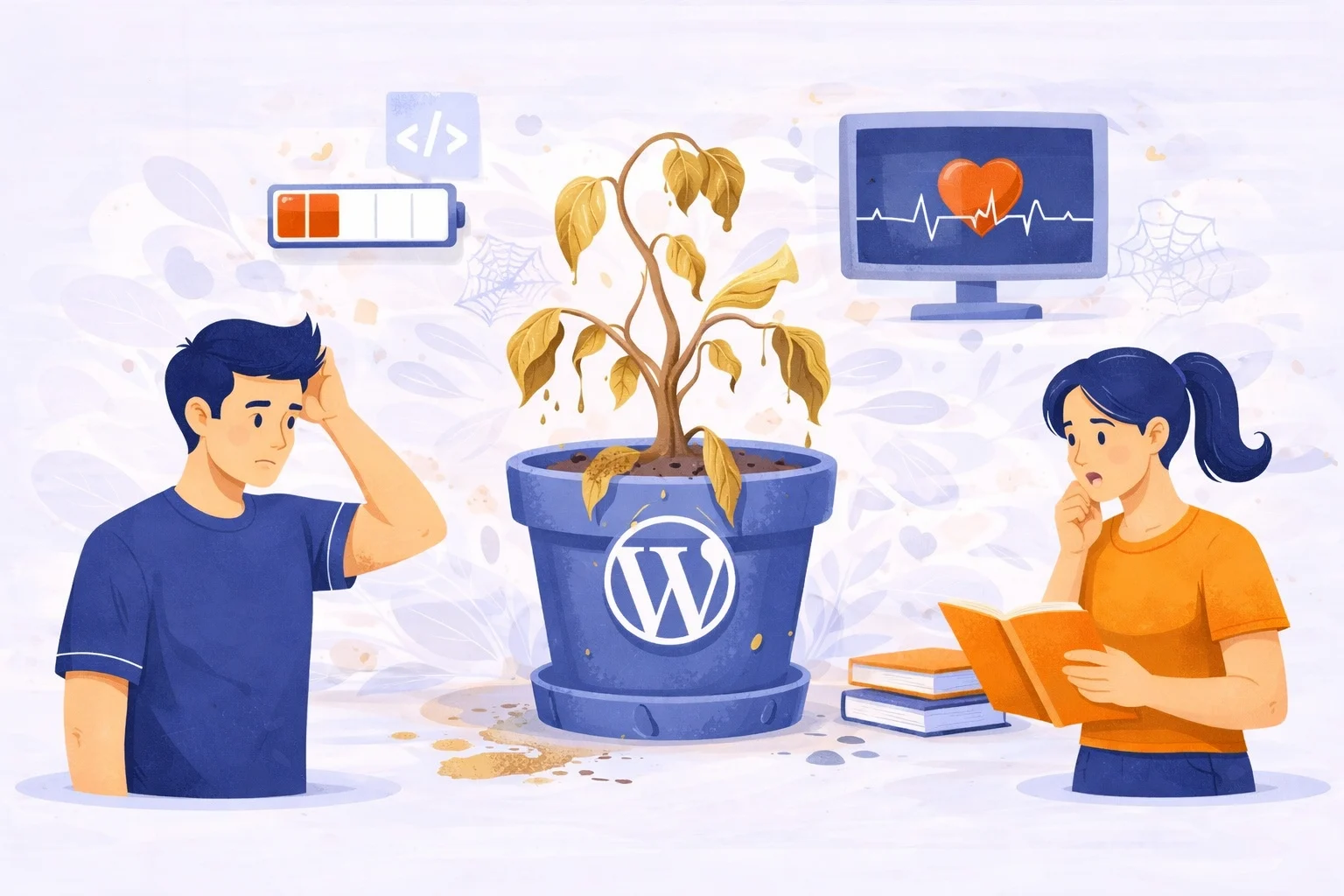
Most business owners treat their website like a billboard. You design it, you put it up on the digital highway, and you walk away. But a WordPress website isn’t a static piece of wood; it’s more like a high-performance engine or a luxury garden.
If you don’t water the plants or change the oil, things don’t just stay the same they begin to die.
Invisible WordPress Website Maintenance Issues
1. The “Invisible” Silent Killers
When we talk about maintenance, business owners often look at their homepage and say, “Looks fine to me!” But the homepage is just the paint job. The real issues live in the “basement” of your site.
The Plugin House of Cards
WordPress runs on plugins. Each one is a piece of software written by different people. When WordPress updates its core code, those plugins need to update too. If they don’t stay in sync, they start “fighting.” This leads to Code Bloat, where your server has to work ten times harder to load a single image, dragging your speed into the gutter.
Database Dust Bunnies
Every time someone leaves a comment, every time you save a draft of a post, and every time a plugin runs a task, it leaves a footprint in your database. Over a year, this creates thousands of rows of “junk” data.
The Result: Your site has to search through a mountain of trash just to find the one piece of information it needs to show a visitor. This is why a site that was fast in year one feels “heavy” by year three.
2. The Hidden Cost of “But I Didn’t Touch Anything!”
This is the most dangerous phrase in web design. In the digital world, standing still is the same as moving backward.
The Evolution of the Web
The software that runs your website (specifically PHP, the language of WordPress) is constantly being updated by the global community.
The Risk: If your hosting provider moves to a newer version of PHP for security reasons, but your unmaintained website is still using old code, your site will simply disappear. It will show a “Critical Error” white screen of death because the old code can no longer “speak” to the new server.
Browser & Device Shifts
Think about how much phones have changed in three years. Browsers like Chrome and Safari are constantly changing how they render images and scripts to save battery life on phones. Without maintenance, your “perfect” layout might look like a jigsaw puzzle on the newest iPhone.
3. SEO: The Math Behind the Maintenance
Search Engine Optimization isn’t just about keywords like “Best Pizza in Brooklyn.” Google actually uses a grading system called Core Web Vitals.
They measure:
- LCP (Largest Contentful Paint): How fast does your main content appear?
- FID (First Input Delay): How fast does the site react when a user clicks a button?
- CLS (Cumulative Layout Shift): Do things jump around while the page is loading?
If you aren’t maintaining your site, your scores in these three areas will naturally drop over time. When your scores drop, Google assumes your site is “low quality” and pushes you to page two or three of the search results. Maintenance is literally the price of admission for staying on page one.
4. The Security “Insurance” Policy
Hackers rarely target you specifically. They use “bots” that crawl the web looking for specific, unpatched vulnerabilities in old plugins.
- The “Hacker’s Backdoor”: An outdated plugin is like a window with a broken lock. A bot finds it, installs a tiny piece of code, and suddenly your website is sending thousands of spam emails or redirecting your customers to a gambling site.
- The Cost of Recovery: Fixing a hacked site usually costs 5 to 10 times more than a year of monthly maintenance. It’s the difference between paying for a gym membership or paying for heart surgery.
5. Growing Pains: Scale vs. Stability
As your business grows, you add more to your site: a booking calendar, an email sign-up pop-up, a new tracking pixel for Facebook ads.
Each new tool is another “passenger” in the car. Without regular maintenance (tuning the suspension, checking the brakes), the car will eventually stall under the weight. Good maintenance ensures that when you get a surge of traffic from a successful ad campaign, your site stands tall instead of crashing under the pressure.
The Bottom Line: Peace of Mind
Website maintenance isn’t about paying for “work you can see.” It’s about paying for the certainty that:
- Your customers will never see an error message.
- Your data is backed up and can be restored in seconds if something goes wrong.
- Your business stays visible on Google.
- You can sleep at night without worrying about a “Your site has been hacked” email.
A maintained website is an asset. A neglected website is a ticking time bomb.
Comparison: DIY vs. Professional Maintenance
| Feature | DIY Method | Professional Maintenance |
| Security | Hope for the best | Real- time monitoring & firewalls |
| Speed | Slows down every month | Regularly optimized & cached |
| Backups | ”I think my host does that ?” | Off site, daily, verified backups |
| Updates | Click “ Update” and pray | Tested in a safe “ Staging” area first |
| Cost | $0 now …. $2,000 later to fix | Small, predictable monthly fee |
To understand maintenance, you first have to understand where your website “lives.” Think of your hosting as the plot of land under your house. Some land comes with a gardener and a security guard; other land is just a patch of dirt where you’re responsible for everything.
In the world of WordPress, your choice of hosting determines exactly how much “maintenance homework” you have to do every month.
The Three Levels of Hosting (And What They Mean for You)
1. Shared Hosting: The “Dorm Room”
This is the $5-a-month plan. You’re sharing a server with hundreds (sometimes thousands) of other websites.
- The Maintenance Reality: It’s high-stress. If your neighbor’s site gets hacked because they didn’t update their plugins, the “infection” can spread to your site. You are 100% responsible for your own backups, security, and speed.
- The Verdict: Cheap, but requires the most DIY maintenance to stay safe.
2. VPS (Virtual Private Server): The “Townhouse”
You have your own dedicated space, but you’re still in a shared building
- The Maintenance Reality: You have more power, but more responsibility. You often have to manage the server software itself (like the OS or the database version). If you aren’t a tech expert, this can be a nightmare.
- The Verdict: Great for speed, but a “maintenance trap” for beginners.
3. Managed WordPress Hosting: The “Gated Community”
This is premium hosting specifically built for WordPress (think companies like WP Engine, Kinsta, or Flywheel).
- The Maintenance Reality: They handle the “big stuff.” They often do automatic daily backups, server-level caching (for speed), and even some basic plugin updates.
- The Verdict: Most expensive, but it does about 40% of the maintenance work for you.
The “Managed” Myth: Why Hosting Isn’t Enough
A common mistake business owners make is thinking, “I pay for Managed Hosting, so I don’t need a maintenance plan.” This is like thinking that because your apartment building has a door-man, you never have to clean your kitchen or lock your safe.
Even the best hosting in the world won’t:
- Check for Broken Links: If you delete a page, your host won’t tell you that your Google ads are now pointing to a “404 Not Found” error.
- Fix Plugin Conflicts: If a new update breaks your “Contact Us” form, the host won’t fix the code. They’ll just tell you your site is “technically online.”
- Optimize Images: If you upload a 10MB photo from your iPhone, the host will serve it up even if it takes 30 seconds to load and kills your SEO.
- Edit Content: Maintenance plans often include small “tweaks” changing a phone number, swapping a logo, or updating a price. Hosts don’t touch your actual content.
How to Choose Your “Maintenance Style”
| If you are | Your Best Path |
| A Tech Savvy Hobbyist | Shared Hosting + DIY (Use plugins like wordfence and updraft plus) |
| A Busy Business Owner | Managed Hosting+ A professional Maintenance Partner |
| An E commerce Store | High end VPS = 24/7 Professional Monitoring ( you can’t afford 1 hour of downtime |
Final Deep Dive: The “Staging Environment”
One detail that separates pros from amateurs is the Staging Site. When you do DIY maintenance, you usually click “Update” on your live site and cross your fingers. If the update breaks your site, your customers see a mess while you scramble to fix it.
A professional maintenance workflow uses a Staging Environment:
- Clone: We make an exact copy of your site in a private area.
- Test: We run all the updates on the copy first
- Audit: We check the forms, the checkout, and the layout.
- Push: Only when we know it’s 100% safe do we “push” those updates to your live site.
- This “Safety First” approach is the core of real website maintenance. It turns a “risky” task into a non-event.
Ready to get started?
Choose the Right Level of Care for Your Business. Whether you’re just starting your journey or running a high-traffic e-commerce powerhouse, we have a plan to keep you online and optimized.
🟢 Starter Plan
The Essential Safety Net
Perfect for small websites, blogs, and personal brands who need reliability.
$59 /month/site
Payments are secure & encrypted
What’s included:
- Total Protection: Security Suite with Malware Scanning & Firewall.
- No-Data-Loss Guarantee: Automated Daily Backups.
- The Basics Covered: Core, Theme, and Plugin Updates.
- Always Online: Uptime Monitoring & SSL Audit.
- Expert Hands: 1 Hour of Content Editing + 1 Monthly Live Call with a WP Expert.
- Safe Testing: 1 Staging Site (On Request).
- Transparency: Monthly Performance & Health Reports.
- Support: Dedicated Email + Ticket Support.
🔵 Growth Plan
The Business Accelerator
Ideal for growing businesses and professional sites where speed and data matter.
$99 /month/site
Payments are secure & encrypted
Everything in the Starter Plan, plus:
- Deep Security: Proactive Vulnerability Scanning.
- Analytics Dashboard: Detailed Traffic & Visitor Insights.
- Precision Updates: Visual Regression Testing (We ensure updates don’t shift your layout).
- Technical Health: PHP Error Monitoring to catch bugs before they crash your site.
- Increased Agility: 2 Hours of Content Editing + 2 Staging Sites.
- Stay Informed: Fortnightly (every two weeks) Reports.
- Fast Response: Priority Support via Live Chat.
🟣 Pro Care Plan
The Enterprise Powerhouse
Built for WooCommerce, high-traffic businesses, and teams needing a dedicated web partner.
$119 /month/site
Payments are secure & encrypted
Everything in the Growth Plan, plus:
- E-commerce Engine: Specialized WooCommerce Support & Database Optimization.
- Your Personal Expert: A Dedicated Site Manager who knows your business by name.
- Maximum Access: 2 Monthly Live Calls with your WP Expert.
- Elite Environment: 3 Staging Sites for complex development projects.
- Constant Feedback: Weekly Health & ROI Reports.
- VIP Access: Instant Priority Support via WhatsApp & Phone.
Comparison at a Glance
| Feature | Starter | Growth | Pro Care |
| Updates | Weekly | Weekly + Visual Test | Real Time + Visual Test |
| Staging Sites | 1 | 2 | 3 |
| Content Help | 1 Hour | 2 Hours | Unlimited Small Tasks |
| Best For | Solopreneus | Professional Agencies | E-commerce/ Scale |
Why 500+ Businesses Trust ManageMySite.io
Your website is your most valuable asset. Don’t leave it to chance.
We Prevent Problems Before They Exist
Most maintenance providers are “reactive” they fix things after they break. At ManageMySite.io, we are proactive. Our AI-driven monitoring catches server hiccups, security vulnerabilities, and database slowdowns before your customers ever see an error message.
The “Visual Regression” Advantage
Updates are the #1 reason WordPress sites break. While others just click “Update” and hope for the best, we use Visual Regression Testing. Our system takes a pixel-by-pixel snapshot of your site before and after every update. If even a single button moves out of place, we catch it and fix it in staging before it ever touches your live site.
Speed is a Feature, Not an Afterthought
A 1-second delay in page load time can lead to a 7% reduction in conversions. We don’t just “host” your site; we optimize it. From image compression to database “housekeeping,” we ensure your site stays lean, mean, and lightning-fast.
Real Humans, Real Expertise
We aren’t a faceless ticket system. When you join ManageMySite.io, you get access to WordPress veterans who understand the “why” behind your business. Whether it’s a strategy call or a quick WhatsApp message, we are an extension of your team.
The “Cost of Ignorance” vs. The Cost of Care
| The Risk of Neglect | The ManageMySite Advantage |
| Hacked Site : ~$500+ for emergency cleanup | Bulletproof: Real time firewalls and malware |
| Lost Data: Years of content gone in server crash | Redundancy: Daily off site backups you an trust |
| SEO Drop: Slowspeeds push you to page 3 of google | Peak performance: Core Web Vital optimization |
| Downtime: Every minute offline is a lost sale | 99.9% Uptime: We’re watching even while you sleep |
Frequently Asked Questions
Is ManageMySite.io a hosting company?
We are better. While we work with your existing host, we provide the management layer that hosts ignore. Think of your host as the “landlord” and us as your “private property manager.”
What qualifies as a “Content Update”?
Anything from swapping out a hero image, updating a staff bio, changing a price, or adding a new blog post you’ve written. If it takes less than 30 minutes, it’s usually covered!
What if I have multiple sites?
We love agencies! Contact us for Bulk Pricing if you have more than 5 sites.
How do you manage so many tasks so quickly?
We use our own proprietary ManageMySite.io software designed specifically for WordPress oversight. Our system monitors your site’s vitals 24/7, catching security threats and performance dips in real-time. It’s the perfect blend of high-tech automation and human expert review.
Am I locked into a long-term contract?
Absolutely not. We don’t believe in “holding sites hostage.” All our plans are month-to-month. If you aren’t thrilled with the performance and peace of mind we provide, you can cancel at any time with a single click.
Why should I try it for just one month?
Most of our clients see an immediate difference within the first 30 days. We’ll clean your database, optimize your images, and harden your security. Even if you stay for just one month, your site will be in a significantly better position than it is today.
Experience the Advantage (Risk-Free)
We aren’t interested in locking you into a 12 month contract. We want to prove our value every single day. Try us for 30 days. No long-term commitment. No hidden fees.
In your first month, our software and experts will:
1. Deep-Clean your WordPress database.
2. Audit your security and close “backdoor” vulnerabilities.
3. Speed Up your load times by optimizing heavy assets.
4. Verify your backups are actually working.
If you don’t feel the “weight” lifted off your shoulders after 30 days, you can cancel and walk away. Your website will thank you for the check-up.


